Best Printer for Home Use: Ink Tank, Laser or Cartridge?
Choosing a printer for home: how ink tank, laser and cartridge models differ for families, homework and photos, plus four picks from our lineup.
At a glance
For most families, the Epson EcoTank ET-2980 is a simple tank printer with low running costs. Choose the Epson EcoTank ET-4950 if you scan paperwork, or the Brother MFC-L2820DW for mostly black-and-white pages. Light, occasional printers can look at the HP Envy 6155e.

A home printer has a strange job. It sits idle for days, then someone needs a permission slip in five minutes, a science poster by morning, or a shipping label before the post office closes. The printer that handles that well is not necessarily the cheapest one on the shelf, and the cheapest one often turns out to cost the most once the ink runs out.
This guide helps you match a printer to how your household actually prints. We cover the three main technologies, what running costs really depend on, what HP+ means, and four printers from our lineup. We did not handle these printers ourselves. Facts come from the makers’ pages, and each profile linked below lists its sources. For the complete ranking, see our best printers of 2026 comparison.
Ink Tank, Laser or Cartridge: The Quick Version
Refillable ink tank printers are inkjets that you fill from bottles. They cost more up front, but the ink goes much further. Makers publish yields in the thousands of pages per set of bottles, and running costs are far lower than on cartridge models. They print color and photos, but they are slower than a laser and work best if you print regularly, because ink can sit unused for a long time.
Laser printers use toner powder instead of liquid ink. They are quick on black text, produce crisp pages and do not clog when idle. Most affordable home lasers are black and white only, so color is out. A color laser is an option but takes more space.
Cartridge inkjets are the cheapest to buy and the most expensive to run. Cartridges hold small amounts of ink, and a tri-color cartridge forces you to replace all three colors when one runs out. They make sense only if you print a few pages a month.
What Your Running Costs Really Depend On
We do not quote cost-per-page figures here, because bottle, cartridge and toner prices change. Use the makers’ rated yields instead, and keep three things in mind.
- Yields are standardized estimates. They are based on light-coverage standard pages, so photos and dense color use more ink than the ratings suggest.
- Starter supplies are often smaller. Epson says some of the included ink is used to prime a tank printer, and Brother lists a starter toner of 700 pages on the MFC-L2820DW, against 1,200 pages for a standard TN830 and 3,000 for the TN830XL.
- How often you print matters. A tank printer rewards steady use. A laser tolerates long gaps.
HP+ and the “e” in HP Printers, Explained
Some HP printers carry an “e” in the name, such as the HP Envy 6155e. HP says these are HP+ enabled. According to HP, HP+ requires an HP account, an ongoing internet connection and exclusive use of Original HP ink cartridges for the life of the printer. HP also describes dynamic security that blocks cartridges with non-HP chips, though HP’s page says reused HP chips allow reused and refilled cartridges.
None of this is hidden. HP+ is something you choose during setup. But if you like buying ink from other brands, or the printer will not always be on a network, understand the terms first. HP also includes a trial of its Instant Ink delivery service with the printer. It is optional, and we leave plan details to HP’s own pages.
Epson EcoTank ET-2980: The Everyday Family Printer
A compact tank all-in-one with auto 2-sided printing, AirPrint and ink rated for up to 6,600 black pages in the box. A simple fit for homework, forms and occasional photos.
For a household that prints a few things a week, the Epson EcoTank ET-2980 is the easiest recommendation. Epson’s page says it prints, copies and scans, prints automatically on both sides, and ships with ink rated for up to 6,600 black or 5,500 color pages, about 3 years at 125 pages per month. Speed is rated at 15 ppm black and 8 ppm color (ISO), and the tray holds 100 sheets.
Mobile printing is covered by Apple AirPrint, Mopria and the Epson Smart Panel app, which needs a download. Connectivity is built-in USB and Wi-Fi. There is no document feeder and no Ethernet, and Epson’s page does not mention fax. If you scan stacks of paper, step up to the model below. See the Epson EcoTank ET-2980 profile for more.
Epson EcoTank ET-4950: For Paperwork and a Home Office
A refillable-tank all-in-one with an auto document feeder, a 250-sheet tray, Ethernet and a fax configuration. For households that scan, copy and print paperwork every week.
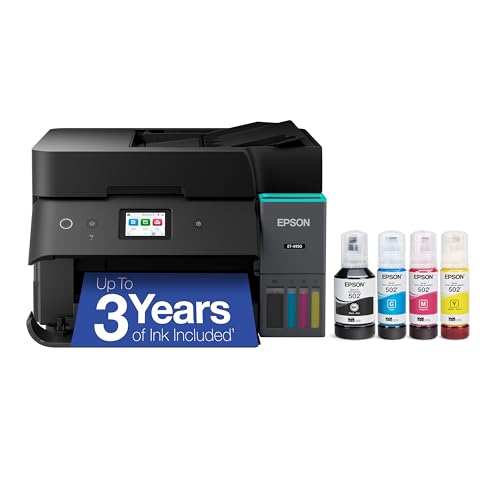
If someone in the house works from home, runs a small business or handles lots of forms, the Epson EcoTank ET-4950 is the better choice. Epson lists an auto document feeder, a 250-sheet tray, a 2.4-inch color display, and Ethernet alongside Wi-Fi. Fax is available on the “MFP & Fax” configuration. Speed is rated at 18 ppm black and 9 ppm color (ISO).
The same ink rating applies as on the ET-2980, up to 6,600 black or 5,500 color pages, but Epson bases the three-year estimate on about 150 pages per month. It is larger than the ET-2980, so measure your shelf. Its profile covers the details.
Brother MFC-L2820DW: Mostly Black-and-White Pages
A black-and-white laser all-in-one with a 50-page document feeder, auto duplex and fax. Good for households that print text and paperwork and never need color.
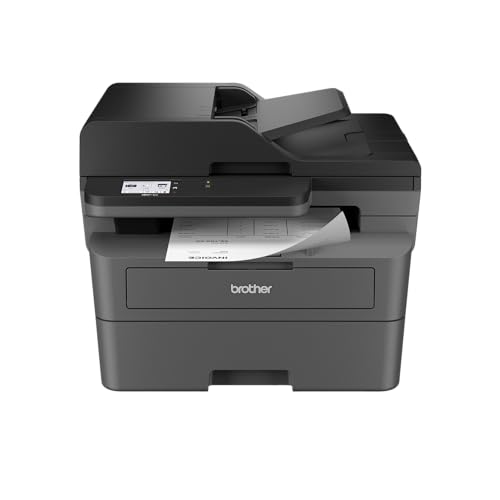
When most of your pages are text, a monochrome laser makes sense. The Brother MFC-L2820DW prints and copies at up to 34 ppm, according to Brother’s spec table, with a 50-page feeder, automatic duplex printing, and Ethernet plus dual-band Wi-Fi. Brother’s page notes that duplex copying and duplex scanning are not available. Scans can be saved in black and white or color, but printing and copying are black and white only.
Toner yields are rated at up to 1,200 pages for the TN830 and 3,000 for the TN830XL, with a 700-page starter toner in the box. The printer is bigger than a typical home inkjet at about 25.5 lb, so give it a sturdy desk or shelf. If you print in color even occasionally, choose a tank model instead. The Brother MFC-L2820DW profile has more.
HP Envy 6155e: The Light-Use Color Pick
A small color all-in-one with auto duplex and AirPrint for light, occasional printing. It comes with HP+ rules and small cartridges.
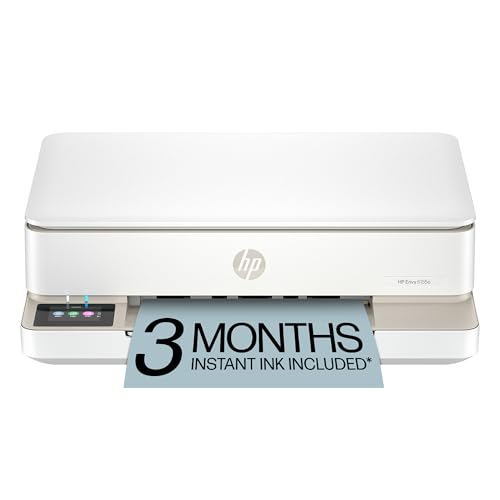
The HP Envy 6155e is the entry-level pick in this guide, and small-cartridge models cost the most to run for anyone who prints regularly. HP’s page lists print, copy and scan, with send-only mobile fax, automatic two-sided printing and speeds of up to 10 ppm black and 7 ppm color (ISO). Cartridges are small: about 160 pages for the HP 68 black, 120 for the tri-color and 320 for the HP 68e black, according to HP.
It is a fine fit for a student’s desk or a household that prints a few pages a month. HP’s store page also notes that this model has been discontinued and now appears as the HP Envy 6155, so confirm the model name on the listing. See the HP Envy 6155e profile for details, and read the HP+ section above before setup.
Which One Fits Your Home?
- Homework, forms and occasional photos: the Epson EcoTank ET-2980.
- Paperwork, scanning and a home office: the Epson EcoTank ET-4950, or the Brother MFC-L2820DW if you print only in black and white.
- Photos as a main use: see the Epson EcoTank Photo ET-8550 profile, a six-color tank printer, or our best printer for iPhone guide.
- A few pages a month: the HP Envy 6155e.
Quick Checks Before You Buy
- Measure the space. Tank printers and lasers differ a lot in footprint.
- Count your pages. If you print every week, favor tanks or lasers.
- Check what you scan. No feeder means page-by-page scanning.
- Look at duplex. It saves paper on school packets and reports.
- Read the ink terms. HP+ is a commitment to Original HP ink.
- Check the phone route. The Epson models and the HP Envy 6155e list Apple AirPrint on the maker’s page.
Sources
Frequently asked questions
What is the best type of printer for home use?
It depends on what you print. For a mix of homework, forms and photos, a refillable-tank all-in-one such as the Epson EcoTank ET-2980 keeps running costs far lower than cartridge models. If you print mostly black text, a monochrome laser like the Brother MFC-L2820DW is faster and does not dry out when idle. Cartridge inkjets suit very light, occasional printing.
Is an ink tank printer worth it for a family?
If the family prints every week, usually yes. Epson rates the ink included with the EcoTank ET-2980 at up to 6,600 black or 5,500 color pages, about 3 years at 125 pages per month. The trade-off is a higher price for the printer itself and slower speeds than a laser.
What does HP+ mean, and should I avoid it?
HP says HP+ requires an HP account, an ongoing internet connection and exclusive use of Original HP ink cartridges for the life of the printer. It is chosen at setup on 'e' models such as the HP Envy 6155e. If you want to use third-party or refilled ink, or your printer will not always be online, think hard before choosing it.
Do home printers print double-sided automatically?
Many do, but not all. Epson lists auto 2-sided printing on the EcoTank ET-2980 and ET-4950, and HP lists it on the Envy 6155e. Models without duplex need you to flip pages by hand.
Do I need a document feeder at home?
Only if you scan or copy multi-page paperwork often. Of our picks, the Epson EcoTank ET-4950 has an auto document feeder, and Brother lists a 50-page feeder on the MFC-L2820DW. The Epson EcoTank ET-2980 and HP Envy 6155e scan one page at a time on the glass.
How much does it cost to run a home printer?
It varies with the model and how you print, so we give the makers' rated yields instead of dollar figures. Tank printers are rated in thousands of pages per ink set, while the HP Envy 6155e's cartridges are rated at about 160 black pages for the standard HP 68, according to HP. Running costs on small-cartridge models are far higher.