Best Printer for College Students: Dorm-Friendly Picks
Picking a printer for a dorm or apartment: size, campus Wi-Fi limits, USB and Wi-Fi Direct, mostly black text, plus three models from our lineup.
At a glance
For mostly black text in a small room, the Brother HL-L2460DW is a compact, fast mono laser. The HP Envy 6155e suits light color printing at an entry-level tier, and the Epson EcoTank ET-2980 gives students refillable ink and lower running costs. Check how your campus Wi-Fi handles printers.

Every student hits the same wall around week six. A paper is due at 9 a.m., the campus lab is closed or has a line, and the cheap printer you bought in August is out of ink. A good dorm printer is not complicated, but it has to fit a small desk, survive a few moves, and connect to a network you do not control.
This guide covers what to look for, how campus Wi-Fi can get in the way, and three printers from our lineup that suit students. We did not handle these printers ourselves. Facts come from the makers’ pages and a university IT page, and each profile we link lists its sources. For the full ranking, see our best printers of 2026 comparison.
What Students Actually Print
Most students print the same few things: essays, reading assignments, forms, lab handouts, and the occasional poster or color chart. That points to a simple rule. If almost everything is black text, buy for text. A monochrome laser prints it quickly, cleanly and cheaply, and the toner will not dry out over winter break. If you need color a few times a semester, an inkjet is the practical answer, with the trade-offs that come with it.
Other things matter more than they seem:
- Size and weight. Dorm desks are small, and the printer has to go home in a car at the end of the year.
- Duplex. Printing on both sides cuts paper use and makes thick reading packets manageable.
- Setup effort. You want something that works the night you plug it in.
- Supplies you can find. Ink or toner you can order quickly beats a bargain you cannot refill.
Campus Wi-Fi: The Part Most Guides Skip
Many universities use enterprise Wi-Fi security rather than a simple home-style password. A university IT knowledge base from the University System of New Hampshire says wireless printers often do not work on its campus Wi-Fi because some printers cannot negotiate WPA2 Enterprise security. Its suggested fixes are to connect the printer to your computer with a USB cable or to turn off the printer’s wireless feature. Your school may differ, but the lesson is general.
What to do before you buy:
- Ask your housing or IT office how printers are handled. Some schools provide a separate network for devices, and some ban personal wireless equipment in residence halls.
- Plan for USB. Every printer in this guide lists a USB port, which works on any network.
- Check for direct connections. Some printers offer Wi-Fi Direct, where a phone or laptop talks to the printer without a router. The catch is that your device generally cannot stay on the campus network and the printer’s direct connection at the same moment.
- Check the bands. Some printers list only 2.4 GHz Wi-Fi. Brother lists both 2.4 GHz and 5 GHz for the HL-L2460DW.
If you live off campus in an apartment with a home-style router, none of this applies and any Wi-Fi printer works normally.
Brother HL-L2460DW: The Compact Pick for Text
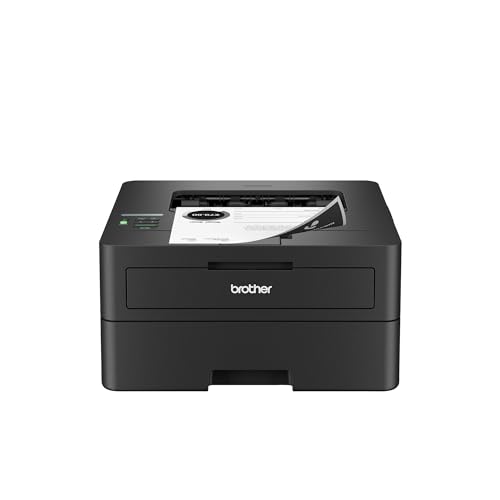
A compact black-and-white laser for papers, forms and reading packets, with auto duplex, USB, Ethernet and dual-band Wi-Fi. Print only: no scanner and no color.
For a student who mostly prints text, the Brother HL-L2460DW is the cleanest fit. According to Brother, it prints at up to 36 pages per minute with a first page in under 8.5 seconds, handles automatic duplex printing, and holds 250 sheets. Brother’s brochure, as summarized in our profile, lists it at 14.0 x 14.2 x 7.2 inches and 15.6 lb, which is notably smaller and lighter than an office all-in-one.
Connection options are the strongest of our three picks for a dorm: Brother lists dual-band Wi-Fi, Ethernet and Hi-Speed USB, and its brochure, as summarized in our profile, also lists AirPrint, Mopria and Wi-Fi Direct. Toner is rated at up to 1,200 pages for the TN830 and 3,000 for the TN830XL, with a 700-page starter toner in the box, so buy an XL toner early in the semester.
The limits are plain. There is no scanner and no color, and the display is a single-line LCD, so setup is easier from Brother’s app. Many students scan with a phone anyway. See our Brother HL-L2460DW profile for more, and if you want to scan, copy or fax, compare the Brother MFC-L2820DW profile, a larger machine.
HP Envy 6155e: Light Color Printing at an Entry-Level Tier
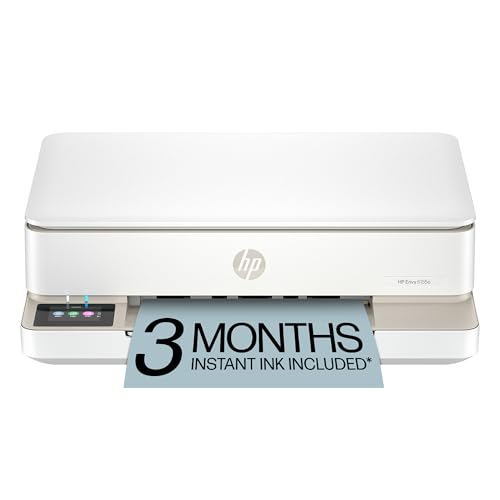
A small color all-in-one with auto duplex, USB, dual-band Wi-Fi and AirPrint, for a student who prints a few pages a week. It comes with HP+ rules and small cartridges.
If you want color for posters and charts without a big commitment, the HP Envy 6155e is a compact option. HP’s store page lists print, copy and scan with send-only mobile fax, automatic two-sided printing, and speeds of up to 10 ppm black and 7 ppm color (ISO). It supports Apple AirPrint, and our profile notes a USB port and dual-band Wi-Fi, so it can connect over USB if campus Wi-Fi refuses it.
There are two things to know. First, the cartridges are small: HP lists about 160 pages for the HP 68 black, 120 for the tri-color and 320 for the HP 68e black, so it suits light use, not a degree’s worth of reading packets. Second, the “e” means HP+: according to HP, it requires an HP account, an ongoing internet connection and exclusive use of Original HP ink cartridges for the life of the printer. HP+ is chosen during setup. If your printer will often be offline or you want other ink brands, think twice.
HP’s page also says this model has been discontinued and now appears as the HP Envy 6155, so confirm the exact name on the listing. Read the HP Envy 6155e profile before you buy.
Epson EcoTank ET-2980: A Student Printer That Lasts
A compact refillable-tank all-in-one with USB, Wi-Fi, AirPrint and auto 2-sided printing. Ink in the box is rated for up to 6,600 black pages, so it suits a degree's worth of printing.
If you will keep a printer through all four years and want color when you need it, the Epson EcoTank ET-2980 is the better long-term bet. Epson rates the ink in the box at up to 6,600 black or 5,500 color pages, about 3 years at 125 pages per month. Running costs are far lower than on cartridge models, though the printer costs more up front.
It prints, copies and scans, prints automatically on both sides, and takes a 100-sheet tray. Epson lists built-in USB and Wi-Fi, with AirPrint, Mopria and the Epson Smart Panel app for phones. Epson’s page does not mention Ethernet or Wi-Fi Direct, so on a campus network that refuses it, USB is your fallback. There is no document feeder, which is fine for single pages.
Tank printers reward regular use, so it works best if you print weekly. See the Epson EcoTank ET-2980 profile for specs.
Which One Should You Buy?
- Mostly papers and forms, small room: the Brother HL-L2460DW.
- Occasional color, minimal outlay: the HP Envy 6155e, with HP+ in mind.
- Four years of printing, with color: the Epson EcoTank ET-2980.
If you need a scanner and printing in one box, look at the other options in our best printers of 2026 ranking.
Before Move-In Day
- Ask about rules. Some residence halls restrict personal routers or wireless printers.
- Buy a USB cable. Printers often do not ship with one.
- Order supplies early. Get toner or ink bottles before finals week.
- Keep the box. A box makes moving out much easier.
- Learn the lab. Know where the campus printers are as a backup.
Sources
Frequently asked questions
Will a home printer connect to my college Wi-Fi?
Often not. A university IT knowledge base notes that some printers cannot handle the WPA2 Enterprise security used on its campus network. Its suggested workaround is a USB cable to your computer. Check the printer's spec sheet for supported network security, and ask your school's IT help desk how printers are handled in housing.
What is the best printer for a dorm room?
For mostly black-and-white papers and forms, a compact laser such as the Brother HL-L2460DW is small and quick, and Brother's brochure, as summarized in our profile, lists it at 14.0 x 14.2 x 7.2 inches and 15.6 lb. For occasional color, the HP Envy 6155e or the Epson EcoTank ET-2980 are better fits.
Is a laser or an inkjet better for a student?
If you print mostly text, a laser is hard to beat: toner does not dry out between semesters and the first page comes out fast. Brother rates the HL-L2460DW at up to 36 ppm with a first page in under 8.5 seconds. If you need color for posters or lab reports, a tank or cartridge inkjet is the practical choice.
Do I need a printer if my school has computer labs?
Many students manage with campus labs, but a personal printer saves a walk at midnight before a deadline. Check whether your school charges per page in the lab and whether it limits printers in residence halls before you buy.
Can I print from a laptop or phone without Wi-Fi?
Yes, over USB from a laptop. All three printers in this guide list a USB port. Some printers also offer Wi-Fi Direct, which lets a phone or laptop connect straight to the printer, though your device usually cannot stay on the internet through the campus network at the same time.
How much ink or toner will a student use?
It depends on your major, but the makers' ratings give a guide. Brother rates a standard TN830 toner at up to 1,200 pages and the TN830XL at up to 3,000, with a 700-page starter toner in the box. Epson rates the ink in the EcoTank ET-2980 box at up to 6,600 black pages.